Top 5 Photocopier Maintenance Tips to Extend Its Lifespan
If you run a business in Kenya, you know that your photocopier can bring in some extra cash. But here is the thing: that machine cannot help you if it is jammed or broken. That is why photocopier maintenance should be a regular activity.
You may be tempted to abandon a good machine simply because you think it’s no longer working. However, it may just need repair and maintenance going forward. This blog looks at the top 5 ways to keep your photocopier running longer.
Photocopier Maintenance Tips for Extending Its Lifespan
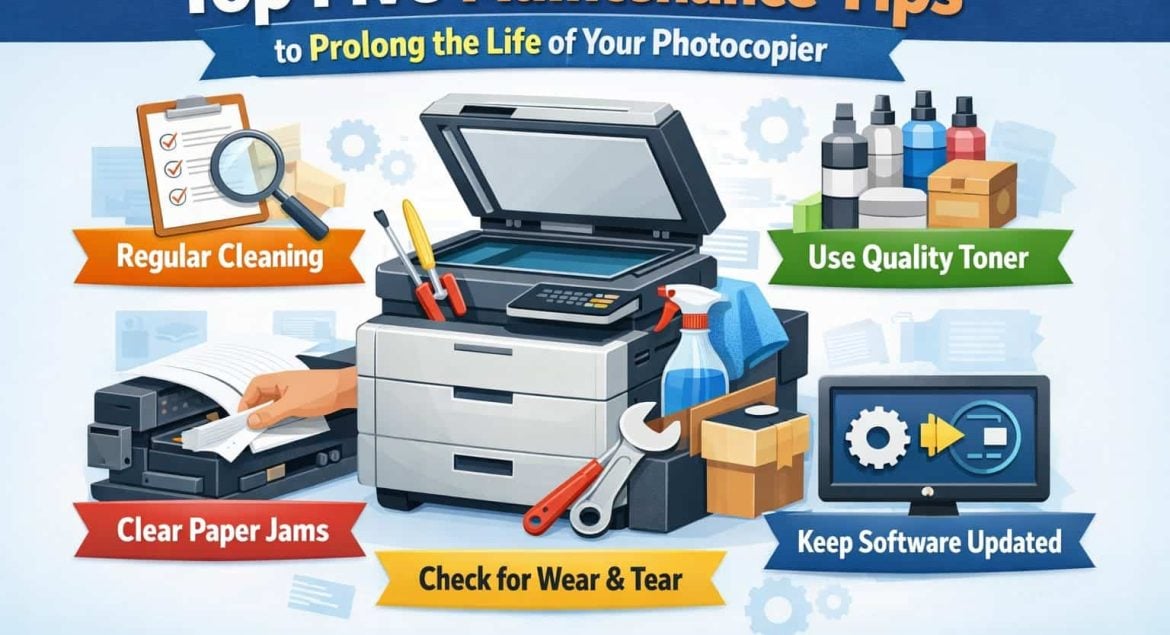
1. Perform Regular Cleaning
Dust is the number one silent killer of copiers. Even if you cover the machine, that fine dust will settle. Plus, you have paper debris and toner residue. Leaving your photocopier covered in dust for a long time will cause jams and eventually destroy the rollers and drums.
So, what should you do?
First, make dusting your copier a weekly task. Use a soft, lint-free cloth, the kind they use for cars or glasses, and wipe the exterior.
The most important part is the scanner glass. If your glass has streaks, your copies will too. Use a non-abrasive cleaner, but do not spray anything directly onto the glass. Any liquid will run down the sides and ruin the electronics inside. So, spray the cleaner onto the cloth first, then wipe the glass.
Now, for the interior, open the machine and look inside. You will see dust and little bits of paper. You can use a small vacuum to remove this debris. Focus on the paper trays and the rollers. Those rollers are important because if they’re dirty, the paper will jam. So, clean them gently.
2. Use High-Quality Paper and Genuine Supplies
We Kenyans love a good deal. You see cheap paper at the shop, and you think it’s fine. But cheap paper is expensive in the long run.
Low-quality paper produces a lot of dust that sticks to everything inside the machine. It also absorbs moisture quickly. Plus, if you store your paper in a damp place, it will curl, leading to paper jams every time you photocopy.
Always buy high-quality paper from trusted sources for photocopier maintenance. Also, store your reams in a dry, cool area. And when you load the paper, do not overfill the tray and make sure you align the paper guides snugly against the stack.
The same goes for toner and ink: always buy high-quality from trusted stores such as ours. Using non-genuine toner can cause leaks. Toner leaks are dangerous because they can short-circuit the machine’s internals.
Always use manufacturer-recommended toner. It costs more now, but it saves you the cost of buying a new photocopier next year.
3. Schedule Routine Professional Maintenance
When the machine breaks, you need a professional. Just like you take your car to the garage for service, your photocopier needs attention too.
Arrange for a technician to perform a comprehensive service every 3 to 6 months. If you use the machine heavily, do it every 3 months. If it is at home, every 6 months is okay.
Your technician should open it up and check for worn parts. Parts like the drums, the fuser unit, and the pick-up rollers wear out slowly. If you replace them early, the machine continues to work perfectly.
Your technician can tell you if it’s time to replace the parts and conduct the replacements. You can also check your manual, as it tells you when to replace certain parts.
4. Keep Software and Firmware Updated
Your photocopier uses software that can have minor issues or become outdated. When that happens, your computer might not communicate properly with the copier, leading to flawed copies.
You can avoid this by updating the firmware. Go to the manufacturer’s website, search for your model, and see if there is a new update. Download it and follow the installation instructions.
In addition, keep your printer drivers up to date on your laptop or desktop. If you are using Windows or Mac, the driver may become outdated after an update. Reinstall it to ensure that the communication between your devices is smooth. Do this whenever you see an update notification, or at least twice a year.
5. Manage the Environment and Workload
You cannot just place a photocopier anywhere because weather, dust, food particles, and debris can affect its performance.
Find a dry, temperate place for it away from sunlight. Direct sunlight heats up the plastic and can damage the sensitive parts inside, while high humidity causes paper to absorb moisture and jam.
Also, ensure there is space around it. Do not push it against the wall; instead, leave at least 6 inches of space at the back and sides for ventilation. If it does not breathe, it will overheat and cause damage.
Finally, know your machine’s limits. Every photocopier has a monthly duty cycle, the highest number of pages it can print in four weeks without overworking.
Smaller copiers cannot print thousands of pages every day. It will overheat and break. If you have a high volume of work, invest in a photocopier that’s rated for heavy use.
Final Thoughts on Copier Maintenance
So, there you have it. Keeping your photocopier running is about doing small things consistently: cleaning weekly, using good paper, calling a technician regularly, updating the software, and placing it in a good spot.
These five steps are the difference between a machine that lasts five years and one that dies in two years. We all want value for our money, and in this economy, we cannot be careless with our tools. Take care of your equipment, and it will take care of your business.
The goal is simple: to extend the lifespan of your investment through consistent and proper photocopier maintenance.