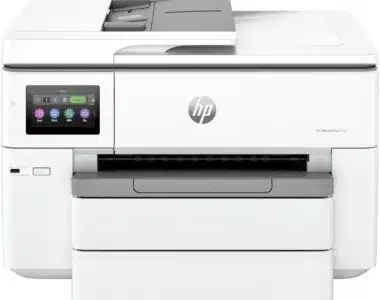
A brief introduction to laser printers
Are you curious about the fascinating world of laser technology printers? Look no further! In this blog post, we will delve into the intricate components that make these printers tick. From drum units to feed units, we’ll uncover the magic behind how laser printers produce high-quality prints with precision and speed. So, buckle up and get ready to explore the inner workings of these innovative machines!
Basic Components of a Laser Printer
Laser printers, the unsung heroes of modern offices, consist of several key components that work together seamlessly to produce high-quality prints. At the heart of a laser printer lies the drum unit, responsible for transferring toner onto paper through an electrostatic process.
Next up is the fuser unit, which uses heat and pressure to bond the toner particles onto the paper permanently. Without this crucial component, your documents would smudge at the slightest touch.
The developer unit plays a vital role in ensuring that the correct amount of toner is distributed evenly on the drum surface before being transferred onto paper. It’s like a conductor orchestrating a perfect print symphony every time you hit ‘print.’
Feeding units guide paper through the printing process with precision and accuracy, preventing jams and ensuring smooth operation. Think of them as silent but essential partners in your printing endeavors.
We have scanners that capture digital images or text to be reproduced by your laser printer. This component takes your physical documents into the virtual world before bringing them back to life on paper.
The Function of Each Component
Laser printers consist of several key components that work together seamlessly to produce high-quality prints. Each component plays a vital role in the printing process, ensuring precision and efficiency.
The drum unit is responsible for transferring toner onto the paper using static electricity. It rotates as it receives electrical charges to attract toner particles before transferring them onto the paper.
The fuser unit then melts the toner powder onto the paper through heat and pressure, creating a permanent bond between the toner and the paper. This ensures that your documents are smudge-proof and long-lasting.
The developer unit is tasked with supplying toner to the drum by using a mix of magnetic attraction and repulsion forces. It ensures a consistent supply of toner for accurate image reproduction on each printout.
The feed unit pulls paper from the tray and feeds it through the printer, positioning it correctly for printing. It plays a crucial role in maintaining smooth paper movement throughout the printing process.
The scanner captures digital images of documents or photos that need to be printed. It converts these images into electronic signals that can be processed by other components within the printer for accurate reproduction on paper.
Advantages of Using a Laser Printer
When it comes to printing, laser technology printers offer a multitude of advantages that set them apart from other types of printers in the market. One key advantage is their speed and efficiency. Laser printers can produce high-quality prints at a much faster rate compared to inkjet printers, making them ideal for offices and businesses with heavy printing needs.
Additionally, laser printers are known for their sharp and crisp text quality. The precision of laser technology ensures that text appears clean and professional on every printout. This makes laser printers perfect for printing documents that require clarity and readability.
Another benefit of using a laser printer is its cost-effectiveness in the long run. While the initial investment may be higher than an inkjet printer, laser printers are more economical over time due to lower maintenance costs and higher yield per toner cartridge.
Moreover, laser technology offers consistent results on various types of paper, including plain paper, envelopes, labels, cardstock, and more. This versatility allows users to print a wide range of materials without compromising on quality.
In addition to these benefits, modern laser printers come equipped with advanced features such as wireless connectivity options, duplex printing capabilities for automatic double-sided printing which adds convenience while saving paper.
Common Applications of Laser Technology Printers
Laser technology printers have a wide range of applications across various industries and settings. One common use is in office environments for printing documents, reports, and presentations with crisp text and high-quality graphics. The speed and efficiency of laser printers make them ideal for handling large volumes of paperwork quickly.
In the education sector, laser printers are often used by teachers to print out worksheets, study materials, and visual aids for their students. The clarity of the prints ensures that important information is easily readable by learners of all ages.
Graphic designers and artists also rely on laser printers to produce professional-looking prints of their work. The precision and color accuracy offered by these printers help bring their creations to life in physical form.
Furthermore, businesses use laser technology printers for producing marketing materials such as brochures, flyers, and promotional items with vibrant colors that grab the attention of potential customers. With their versatility and high-resolution output, laser printers continue to be indispensable tools across various fields.
Troubleshooting Tips for Common Issues with Laser Printers
Encountering issues with your laser printer can be frustrating, but fear not – here are some troubleshooting tips to help you out. If your prints are coming out faded or streaky, it might be time to check the drum unit. Ensure it is clean and free of any debris that could be affecting print quality.
Another common issue is paper jams, often caused by a misaligned feed unit. Make sure the paper is properly loaded and that the guides are adjusted correctly to prevent jams from happening.
If you’re noticing smudges or marks on your prints, the fuser unit could be overheating. Allow it to cool down before using the printer again to avoid further issues.
For those experiencing connectivity problems when trying to scan documents, double-check that the scanner is properly connected to your computer and that drivers are up-to-date.
By following these troubleshooting tips, you can keep your laser printer running smoothly and efficiently for all your printing needs!
Conclusion
Laser technology printers have revolutionized the way we print documents, photos, and more. Understanding the major parts and functions of a laser printer can help users optimize their printing experience. From the drum unit to the fuser unit, each component plays a crucial role in producing high-quality prints efficiently.
By knowing how these components work together, users can troubleshoot common issues and ensure their laser printer operates smoothly. Whether it’s for personal or professional use, laser printers offer numerous advantages such as speed, precision, and cost-effectiveness.
With applications ranging from everyday printing tasks to specialized projects like graphic design and marketing materials, laser technology printers continue to be indispensable tools in various industries.
Next time you encounter an issue with your laser printer, remember to check the drum unit, fuser unit, developer unit feed unit scanner for any potential problems. By understanding these key components and their functions better you’ll be able to address issues effectively or seek professional assistance when needed. Embracing this knowledge will undoubtedly enhance your overall printing experience.